


- Company
- Products
- Catalogs
- News & Trends
- Exhibitions
Alert management mobile application LAUDA COMMAND APPfor data loggingsecurityfor control

Add to favorites
Compare this product
Characteristics
- Function
- alert management, for data logging, security, for control, access control, for equipment control, temperature monitoring, recording, reporting, data analysis, alarm, temperature measurement
- Type
- real-time
- Operating system
- iOS, Android, Windows
- Deployment mode
- for tablet PC, for smartphones
Description
Overview
Start and operate your LAUDA temperature control equipment directly from a smartphone, tablet or PC. LAUDA Command enables configuration, setpoint entry and remote operation of supported LAUDA units. Two-factor authentication and HTTPS-based communication ensure secure access. The app displays current temperature profiles, safety and application limits and relevant control parameters. Alarm and notification functions provide status information and warnings.
Main functionality
Key advantages
App download and availability
Download LAUDA Command from common app stores for Android and iOS. A Windows version for desktop PCs and tablets is available from the LAUDA Download Center. Free and Professional (subscription / license) variants are offered.
Features (LAUDA Command - Free)
Features (LAUDA Command Professional - Recommendation)
Professional functions extend the free app for advanced trend analysis, reproducibility and process documentation.
Device compatibility (embedded versions)
Product line | LAUDA Command App | LAUDA Command Professional App
Universa | all versions | all versions
Integral IN | 1.52 or higher | 1.57 or higher
Variocool* | 1.76 or higher | coming soon
* Advanced Ethernet module (LRZ 930) required for Variocool support.
System requirements
Brochure / Documentation
An official product brochure and documentation summarise features and compatibility; PDF downloads are provided by the manufacturer.
Technical specifications
Start and operate your LAUDA temperature control equipment directly from a smartphone, tablet or PC. LAUDA Command enables configuration, setpoint entry and remote operation of supported LAUDA units. Two-factor authentication and HTTPS-based communication ensure secure access. The app displays current temperature profiles, safety and application limits and relevant control parameters. Alarm and notification functions provide status information and warnings.
Main functionality
- Define temperature setpoints and start/stop temperature control processes from a mobile device or PC.
- Configure device-specific settings including control variables, level parameters and application limits.
- View current temperature profiles and device parameters with customizable display options.
- Receive alarms, error messages and warnings generated by the device.
- Discover and select temperature control units available on the local network via an integrated device list.
Key advantages
- Direct operation from mobile devices or PC; quick installation and straightforward setup.
- Security features including two-factor authentication and HTTPS communication.
- Ongoing expansion of app compatibility and continuous development of additional functions.
App download and availability
Download LAUDA Command from common app stores for Android and iOS. A Windows version for desktop PCs and tablets is available from the LAUDA Download Center. Free and Professional (subscription / license) variants are offered.
Features (LAUDA Command - Free)
- Device selection: Easy selection of the device in use.
- Temperature setpoint: Direct input of the temperature setpoint.
- Parameter adjustment: Modify control variables, regulator parameters, level parameters and temperature limits depending on the application.
- Messages: Display of alarms, error messages and warnings generated by the device.
- Basic settings: Language, temperature units and other basic device settings.
- Standby/operation: Intuitive controls for switching the device on/off (standby).
Features (LAUDA Command Professional - Recommendation)
Professional functions extend the free app for advanced trend analysis, reproducibility and process documentation.
- All features of LAUDA Command (Free).
- Programmer: Create, save and start temperature‑time programs (up to 5 programs); programs can be exported/imported.
- Graphic temperature curve: Display temperature curves graphically and export them as image files.
- Data recording: Record parameters from the graphical curve and export them for analysis or reporting.
- Flow control: Set and display volume flows in combination with LAUDA flow controllers (e.g. FC 80 MID, FC 80 C).
Device compatibility (embedded versions)
Product line | LAUDA Command App | LAUDA Command Professional App
Universa | all versions | all versions
Integral IN | 1.52 or higher | 1.57 or higher
Variocool* | 1.76 or higher | coming soon
* Advanced Ethernet module (LRZ 930) required for Variocool support.
System requirements
- Android: Android smartphone; Android 5.1 or later.
- iOS: iPhone, iPad, iPod touch; iOS / iPadOS 12.1 or later.
- Windows: Desktop PC, laptop or tablet; Windows 10 Version 14316.0 or later; Architecture: x64; Storage: approx. 178 MB.
Brochure / Documentation
An official product brochure and documentation summarise features and compatibility; PDF downloads are provided by the manufacturer.
Technical specifications
- Supported product lines: Universa (all versions), Integral IN (embedded version requirements listed), Variocool (embedded support with Advanced Ethernet module LRZ 930).
- Minimum Android version: 5.1.
- Minimum iOS / iPadOS version: 12.1.
- Windows requirement: Windows 10 Version 14316.0 or later; x64 architecture; approx. 178 MB storage.
- Security: Two-factor authentication and HTTPS-based communication.
- Professional features: Programmer with up to 5 programs, graphical curve export, data recording and flow control integration.
Catalogs
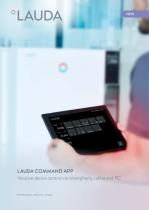
LAUDA Command App
6 Pages

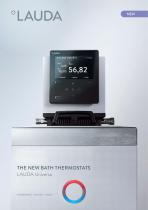
LAUDA Universa
44 Pages
*Prices are pre-tax. They exclude delivery charges and customs duties and do not include additional charges for installation or activation options. Prices are indicative only and may vary by country, with changes to the cost of raw materials and exchange rates.