


- Medical Technical Facilities
- Healthcare IT, Telemedicine
- Capture software
- Hamamatsu Photonics France
Medical software NZConnectMD managementscantraceability

Add to favorites
Compare this product
Characteristics
- Applications
- medical
- Function
- management, scan, traceability
- Type
- centralized, web-based
- Deployment mode
- web-based
- Other characteristics
- automated
Description
Web-based scanner management software that allows any authorized user on the network to seamlessly manage and operate multiple S540MDs, S360MDs and S20MDs of the NanoZoomer® MD series.
Optimizing Digital Pathology Workflow with Centralized Scanner Management
NZConnectMD Scan allows seamless management and operation of multiple NanoZoomer MD series scanners (S540MD, S360MD, and S20MD) from any authorised users on a networked computer. As a web-based application, it supports simultaneous access by multiple users across the network, ensuring efficient collaboration and streamlined workflows. With an integrated audit trail for enhanced traceability, NZConnectMD Scan delivers advanced control and oversight, setting a new standard for Digital Pathology System management.
Features
Space Optimization
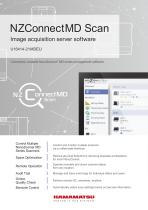
Save space in the lab by performing scan setup, status checks, and QC in one web-based application for all of your scanners.
Space Optimization
Barcode Driven Workflow
■ Automatically select scan profiles based on slide barcode.
■ Freely move slides between scanners without re-registering.
■ Flexibly route slide images to any network destination.
Auto/Manual Remote Scanning
■ Freely mix slides for scanning in semi-automatic and fully-automatic modes.
■ Maintain control of scan settings in automated workflows, with the ability to adjust pre-applied settings.
Quality Check Management
■ Easily locate slides by scanning their barcode with a hand-held reader.
■ Use automated QC to check slides needing attention, with customizable focus score thresholds.
■ Use area check function to confirm scan areas on multiple slides at once.
Catalogs
NZConnectMD Scan
3 Pages
Other Hamamatsu Photonics France products
Life science & medical systems


Related Searches
- Analysis software
- Radiology software
- Viewer software
- Control software
- Windows medical software
- Laboratory software
- Online software
- Diagnostic medical software
- Acquisition software
- Design software
- Tracking software
- Scan software
- Web-based software
- Sharing software
- Server-based software
- Research software
- Security software
- Image capture software
- Centralized software
- MacOS software
*Prices are pre-tax. They exclude delivery charges and customs duties and do not include additional charges for installation or activation options. Prices are indicative only and may vary by country, with changes to the cost of raw materials and exchange rates.
About MedicalExpo
MedicalExpo is a marketplace that offers B2B players a complete experience, from product sourcing to purchase. MedicalExpo is an entity of VirtualExpo Group.
Are you a buyer?
Are you a supplier?